
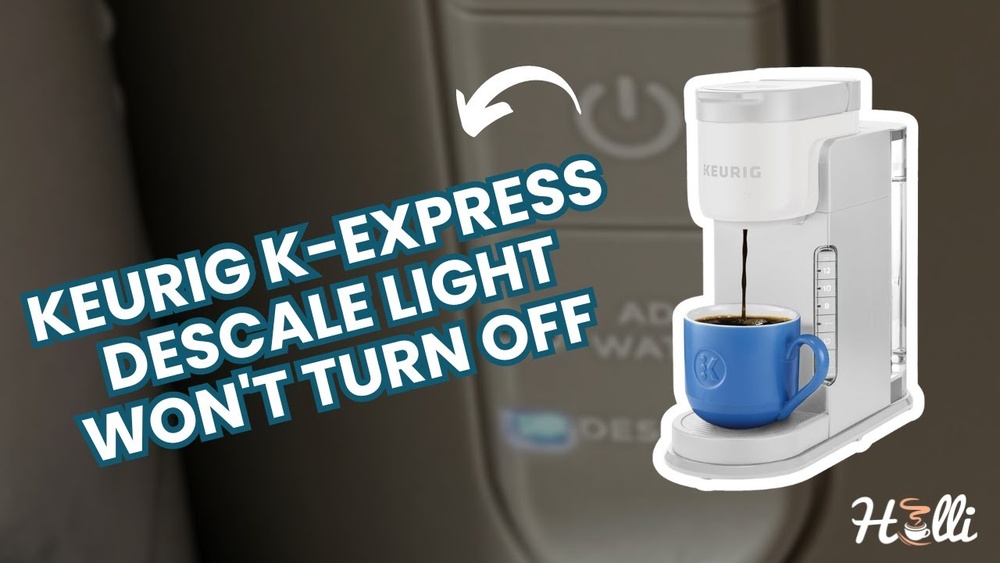
Is your Keurig descale light stuck on, no matter how many times you try to reset it? You’re not alone, and it can be really frustrating when your coffee maker won’t stop warning you.
That annoying light can make you wonder if your machine is broken or if there’s a hidden problem you don’t know about. But don’t worry—this guide will help you understand why the descale light won’t turn off and show you simple steps to fix it.
Keep reading, and soon you’ll be back to enjoying your perfect cup of coffee without that persistent warning light.
Why The Descale Light Stays On
The Keurig descale light is an important alert. It tells you when the machine needs cleaning. Sometimes, the light stays on even after you finish descaling. This can confuse and annoy users. Understanding why the descale light stays on helps fix the problem fast. It also keeps your coffee tasting fresh and your machine working well.
Many factors can cause the descale light to stay on. The machine uses sensors and timers to decide when to show the light. If these parts do not work correctly, the light may not turn off as expected. Knowing how the descale indicator works is the first step to solving the issue.
Common Causes Of The Issue
The descale light often stays on due to incomplete descaling. If you skip a step or use the wrong cleaning solution, the machine may not reset. Mineral buildup inside the machine can also cause the light to stay on. This happens if the water is hard or the machine is used often.
Another cause is a sensor error. Dirt or damage to the sensor can send wrong signals. Sometimes, a software glitch or power interruption affects the descale light. These issues need troubleshooting or a reset to clear the light.
How The Descale Indicator Works
The descale light is linked to the machine’s internal timer. It counts the number of uses or water volume since the last cleaning. When the timer reaches a set limit, the light turns on. This alerts you to clean the machine to avoid damage and poor taste.
The machine also checks water flow and temperature during use. Sensors detect mineral deposits and blockages. If these sensors detect too much buildup, the light stays on. After you descale, the machine resets the timer and sensors. If this reset does not happen, the light remains on.

Credit: www.youtube.com
Quick Fixes To Reset The Descale Light
The Keurig descale light signals when your machine needs cleaning. Sometimes, the light stays on even after descaling. This can be annoying and confusing. Quick fixes help reset the descale light and get your Keurig working properly again. Follow these simple steps to clear the warning and enjoy fresh coffee.
Performing A Manual Reset
Start by turning off your Keurig. Unplug it from the power source. Wait for about five minutes to let it cool down. Plug the machine back in and turn it on. Press and hold the 8-ounce and 10-ounce buttons at the same time. Hold them for three seconds. The descale light should turn off. If not, repeat the process once more.
Using The Descale Mode Correctly
Fill the water reservoir with a descaling solution or white vinegar. Place a large mug on the drip tray. Enter descale mode by holding the brew button for three seconds. The machine will start the cleaning process. Follow the prompts to run the solution through the system. Repeat the process until the reservoir is empty. Rinse the reservoir with fresh water. Run clean water through the machine to remove any leftover solution. The descale light should now turn off.
Step-by-step Descaling Process
Keeping your Keurig clean is important to make great coffee. Descaling removes mineral buildup inside the machine. Follow these clear steps to descale your Keurig properly. This will help the descale light turn off and keep your machine working well.
Choosing The Right Descaling Solution
Pick a descaling solution made for coffee machines. Vinegar can work but may leave a smell. Many brands sell special Keurig descaling liquids. These are safe and effective to remove minerals. Read the instructions on the package before starting.
Running The Descale Cycle
Empty the water reservoir. Pour the descaling solution in it. Place a large mug on the drip tray. Turn on the machine and start the descale mode. Let the machine run until the solution is gone. Some models need you to press buttons to start.
Rinsing And Cleaning After Descaling
Fill the reservoir with fresh water only. Run several brew cycles with just water. This rinses out any leftover solution. Wipe down the outside and drip tray. Make sure no taste or smell remains before brewing coffee again.

Credit: www.youtube.com
Troubleshooting Persistent Descale Light
The Keurig descale light staying on can be frustrating. It signals that your machine needs cleaning. Sometimes, even after descaling, the light does not turn off. This issue might mean the machine did not reset properly or there is still buildup inside. Troubleshooting helps find the cause and fix it quickly. Follow these steps to get your Keurig back to normal.
Checking For Mineral Buildup
Mineral buildup is the most common reason for the descale light. Hard water leaves deposits inside the machine. These deposits block water flow and sensors. Run a descaling solution through the machine again. Use a fresh solution and follow the instructions carefully. After descaling, run plain water cycles to rinse the machine well. This helps remove leftover solution and minerals.
Inspecting The Water Reservoir And Sensors
Look at the water reservoir for cracks or leaks. These can confuse the machine’s sensors. Clean the reservoir with soap and water to remove any dirt. Check the sensors inside the machine. Sometimes, sensors get dirty or blocked. Use a soft cloth to wipe the sensor area gently. Make sure the reservoir is seated properly on the machine. A loose reservoir can cause false alerts.
When To Contact Customer Support
If the descale light stays on after cleaning and checks, it may need expert help. The issue could be a sensor malfunction or internal problem. Contact Keurig customer support for advice. Provide your model number and describe the steps you tried. They can guide you through advanced troubleshooting or arrange a repair if needed.
Preventing Future Descale Light Problems
Stopping the descale light from staying on helps keep your Keurig working well. Preventing this problem means less hassle and better coffee. Follow these simple steps to avoid descale light issues in the future. These tips help your machine last longer and taste better.
Regular Maintenance Tips
Clean your Keurig often to avoid buildup. Wipe the needle and water reservoir weekly. Remove any mineral deposits with a simple vinegar rinse. Regular cleaning stops the descale light from coming on too soon. Keep your machine fresh for every cup.
Using Filtered Water
Use filtered water instead of tap water. Filtered water has fewer minerals that cause buildup. This reduces the need to descale your machine often. Your coffee will taste cleaner and your Keurig will work better. It is a small change with big benefits.
Setting A Descale Schedule
Set a regular time to descale your Keurig. Mark your calendar every 3 to 6 months. Follow the manufacturer’s instructions for each descale session. Sticking to a schedule keeps the machine in good shape. It stops the descale light from staying on too long.

Credit: www.youtube.com
Frequently Asked Questions
Why Won’t My Keurig Descale Light Turn Off?
The descale light stays on if the cleaning process isn’t completed. Run the full descale cycle using vinegar or descaling solution. Ensure you rinse the machine thoroughly after descaling to reset the light.
How Do I Reset The Keurig Descale Light?
After descaling, hold down the 8 oz and 10 oz buttons simultaneously for 3 seconds. This action resets the descale light. If the light remains on, try running another rinse cycle and repeat the reset.
Can Hard Water Cause The Descale Light To Stay On?
Yes, hard water leads to mineral buildup triggering the descale light frequently. Using filtered or distilled water reduces scale buildup. Regular descaling prevents persistent descale notifications and extends machine life.
What If Descaling Doesn’t Turn Off The Light?
If descaling doesn’t help, check for sensor issues or software glitches. Unplug the machine for a few minutes, then plug it back in. If the problem persists, contact Keurig customer support for assistance.
Conclusion
The Keurig descale light staying on can feel frustrating. Try running the full descale cycle carefully. Make sure to reset the machine afterward. Regular cleaning keeps your coffee tasting fresh. A clean machine also lasts longer. Small steps fix the issue fast.
Keep your Keurig in good shape. Enjoy your coffee without interruption.
Disclosure: As an Amazon Associate, I may earn from qualifying purchases at no extra cost to you. Amazon and the Amazon logo are trademarks of Amazon.com, Inc, or its affiliates.
